
Introduce a look, then the collection
Large fashion photographs lead into collections and a lookbook. Visitors can explore outfits by occasion or move directly to the product catalogue.
Fashion e-commerce · Live website
From discovering a collection to choosing an item and size. A fashion storefront connecting imagery, product information and the ordering journey.
Explore the live store
Behind the experience
Choosing clothing online means judging a complete look as well as an individual item. Photography needs to work alongside practical buying information such as the price, available colours, fit and size range.
We built BY RAWAN’s women’s fashion storefront. The published interface includes collection browsing, category and colour filters, size selection, product quick views, a cart and routes to order enquiries and account tools.
Large fashion photographs lead into collections and a lookbook. Visitors can explore outfits by occasion or move directly to the product catalogue.
Product cards surface the price, fit and size range. Category, colour and size filters narrow the catalogue, while quick views let the visitor inspect an item before choosing it.
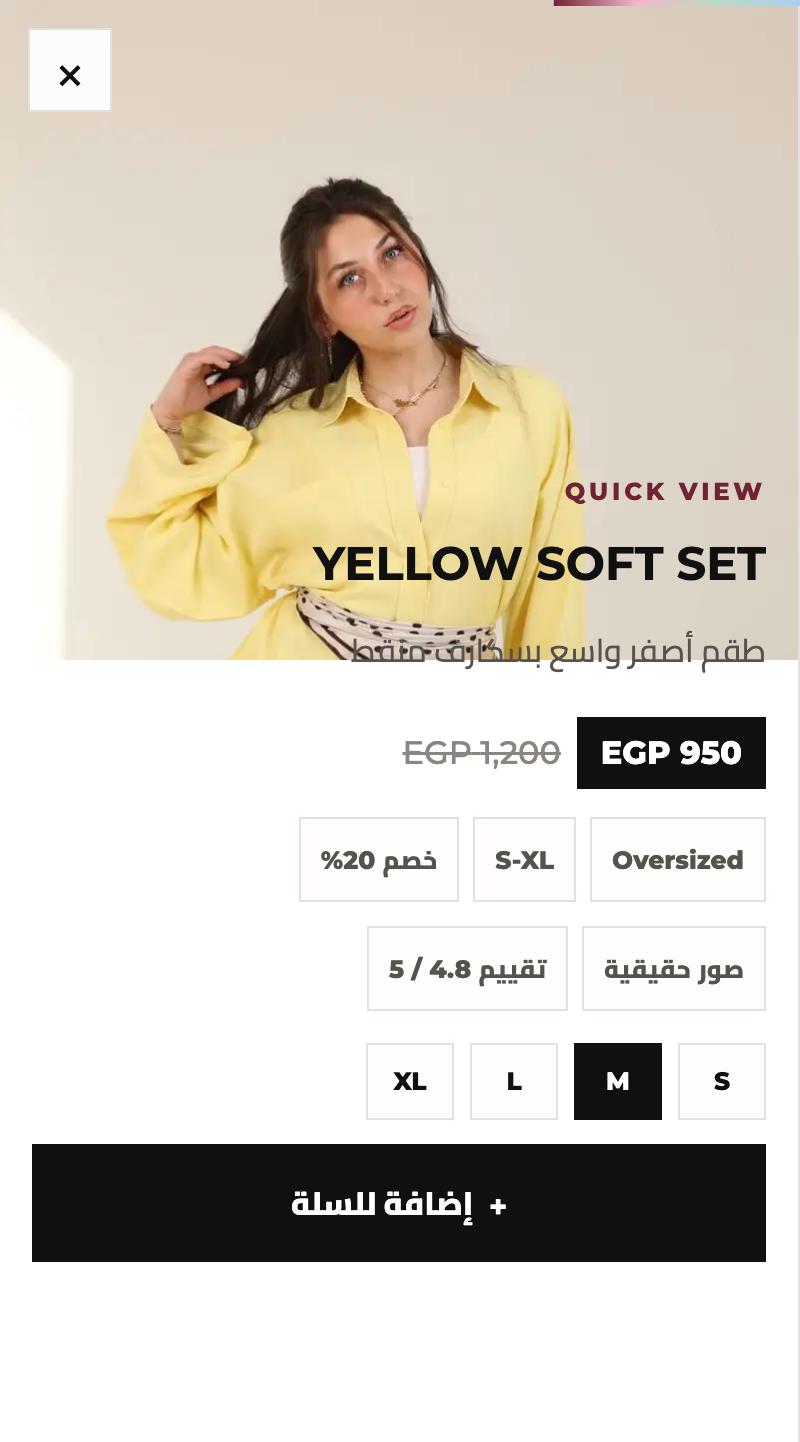
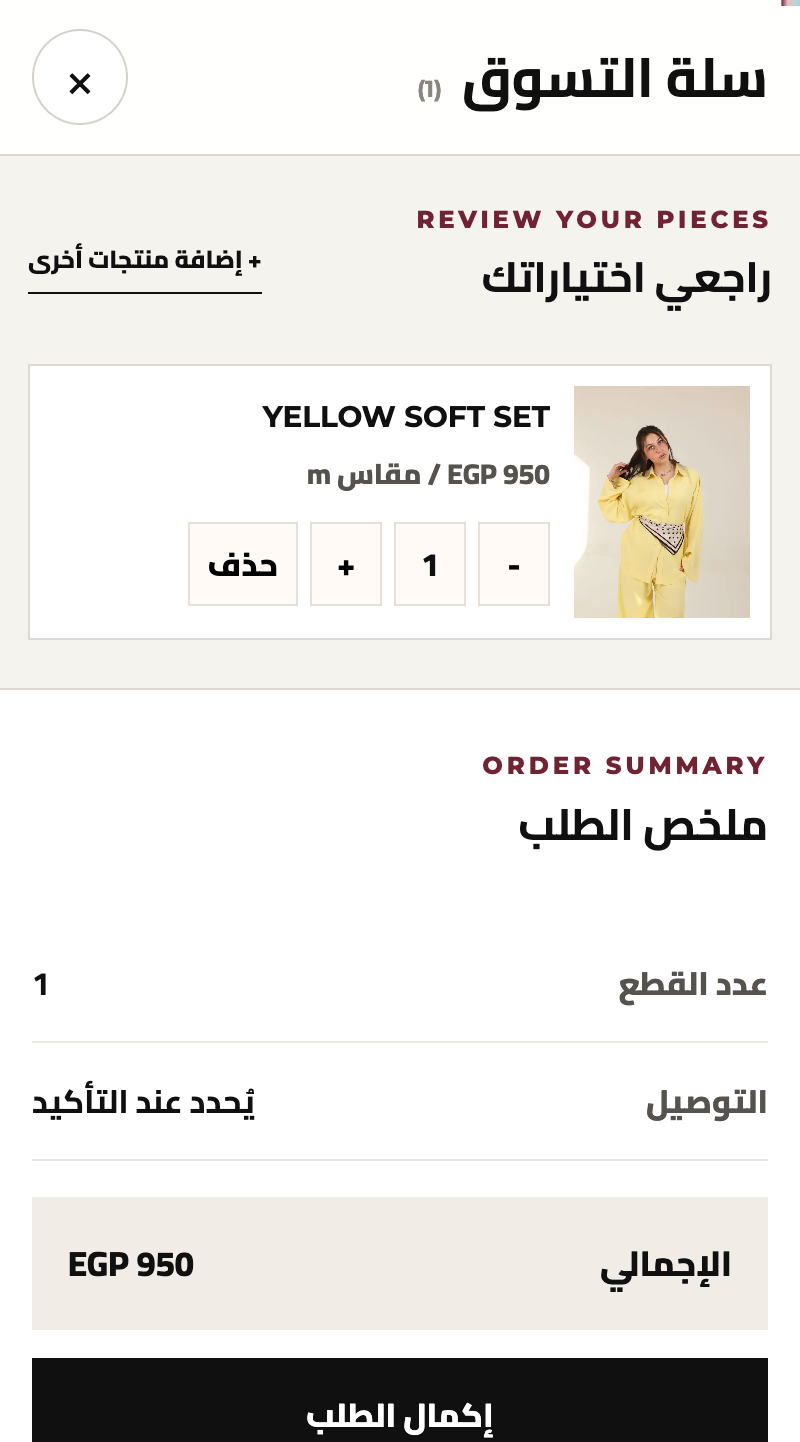
Selecting size M in the Yellow Soft Set quick view carries that size into the cart. The cart allows quantity changes and shows the total before opening delivery details and the confirm-order and WhatsApp action.
A live fashion storefront connecting collection browsing, product and size selection, cart review and a delivery-details step. The mobile screenshots below show the published product and cart interfaces; the store link lets you explore the full presentation.
Inside the live storefront
Actual mobile screens from BY RAWAN show how the item and its selected size stay together through to the cart.
Sets, dresses and shirts have clear entry points alongside occasion-led browsing. Category, colour and size filters help a visitor narrow the pieces to review.
The Yellow Soft Set quick view brings its photograph, price, fit and S, M, L and XL choices together. Selecting M carries that size into the cart with the item.
The cart shows the item, size, quantity and total, with controls to change the quantity or remove a piece. The next step presents name, phone and address fields, followed by a confirm-order and open-WhatsApp action.
Uncle J
Tell us what you sell, where your customers are and what the ordering journey needs.